![LimeSurvey NPS Plugin [Digital]](https://survey-consulting.com/wp-content/uploads/Limesurvey_NPS_Plugin.png)
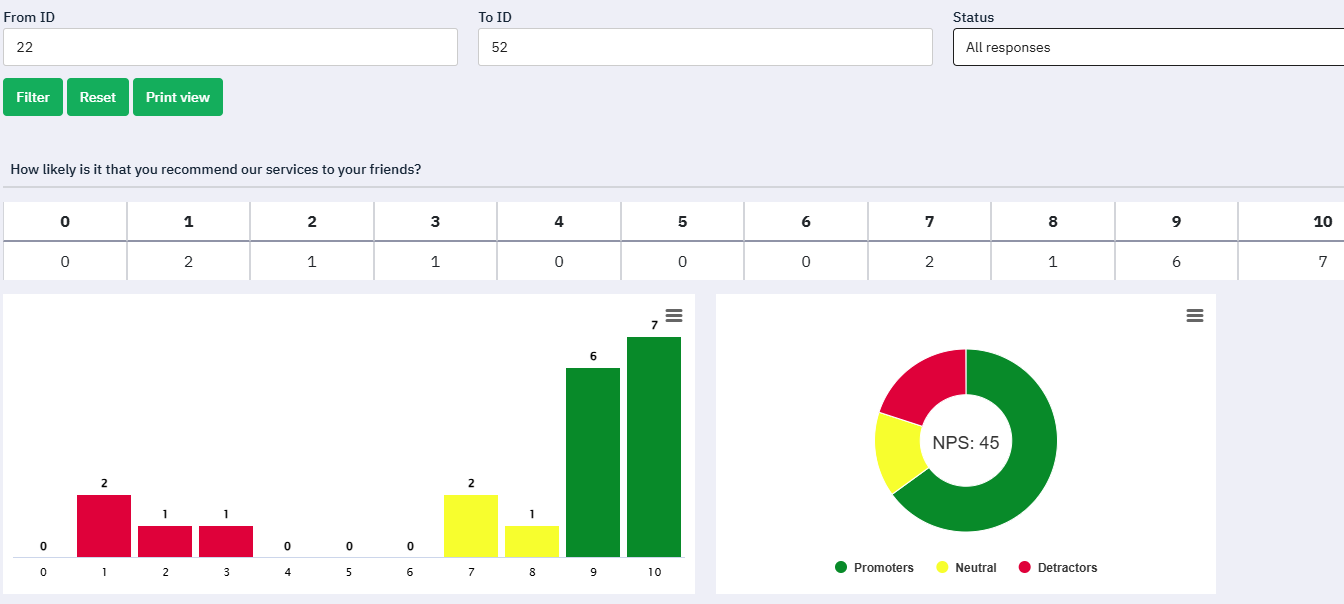
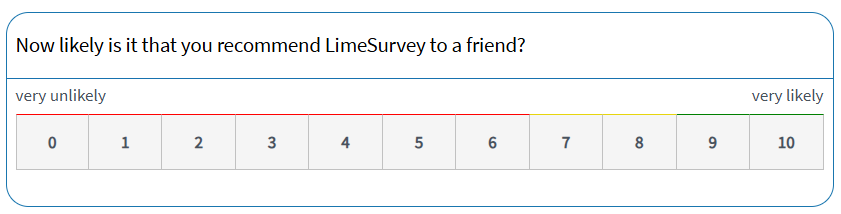
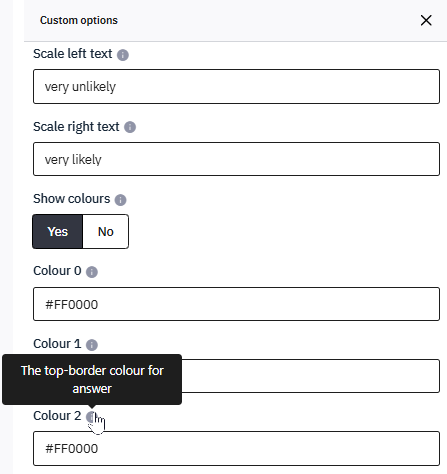
This LimeSurvey plugin adds full Net Promoter Score (NPS) functionality to your LimeSurvey installation. It introduces a dedicated NPS question layout with the classic 0–10 scale and provides integrated reporting tools to evaluate customer satisfaction directly within LimeSurvey.
Net Promoter Score is a widely used method for measuring customer loyalty and satisfaction. While LimeSurvey supports many question types, it does not natively provide a specialized NPS layout or built-in calculation of the Net Promoter Score. This plugin fills that gap by adding both an optimized LimeSurvey NPS question design and automated NPS evaluation.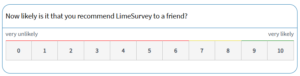
Additional features
- NPS question layout with the classic 0–10 scale used in Net Promoter Score surveys
- Automatic categorization of responses into Detractors (0–6), Passives (7–8), and Promoters (9–10)
- Automatic calculation of the Net Promoter Score based on survey responses
- NPS statistics directly integrated into LimeSurvey’s tools menu.
- Visual reporting including bar charts, pie charts and time series analysis
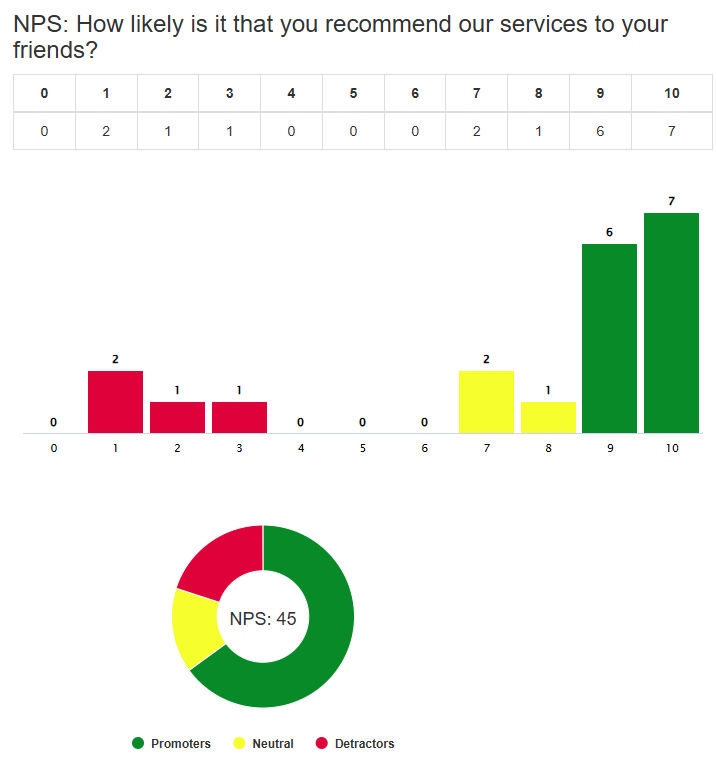
The reporting interface automatically calculates and displays the number of Detractors, Passives and Promoters as well as the resulting Net Promoter Score. The distribution of answers (0–10) is shown as a bar chart, while the categorization into Detractors, Passives and Promoters is presented as a pie chart including the final NPS value. If timings are enabled in your survey, a time series chart can also be displayed, allowing you to track how your NPS score evolves over time.
LimeSurvey NPS setup
To install and use the plugin, follow these steps:
- Install the plugin by uploading the plugin ZIP file at the LimeSurvey Plugin Manager.
- After successful installation activate the plugin at the Plugin Manager.
- Create a question in your survey using the question type Net Promoter Score and define answer options using numeric answer codes from 0 to 10.
- Activate the survey and access the NPS reporting function via the Tools menu to view the evaluation results.
More information
- We offer custom support for adjusting this LimeSurvey plugins according to your needs. Just contact us at samlsupport@survey-consulting.com.
- Additional LimeSurvey plugins are available at the LimeSurvey plugins page.
- Advanced LimeSurvey support is available as well for all your LimeSurvey projects.


![LimeSurvey SAML plugin [Digital]](https://survey-consulting.com/wp-content/uploads/backend-sso-plugin-300x300.png)